The Problem
Your cable modem tracks signal quality data — how strong your connection is, how clean the signal is, whether errors are accumulating. It's all buried in the modem's web interface. But that data isn't actionable.
- No history — you see a snapshot of right now, not what happened at 2am when your connection dropped
- No alerts — the modem won't tell you when signal quality degrades or errors start climbing
- No proof — when you call your ISP, "the internet is slow" isn't evidence they can act on
- No correlation — you can't connect "Zoom dropped at 3pm" with signal issues you weren't watching
The Solution
Cable Modem Monitor pulls signal data directly from your modem and brings it into Home Assistant. Track connection health over time with historical graphs that catch the problems you'd otherwise miss.
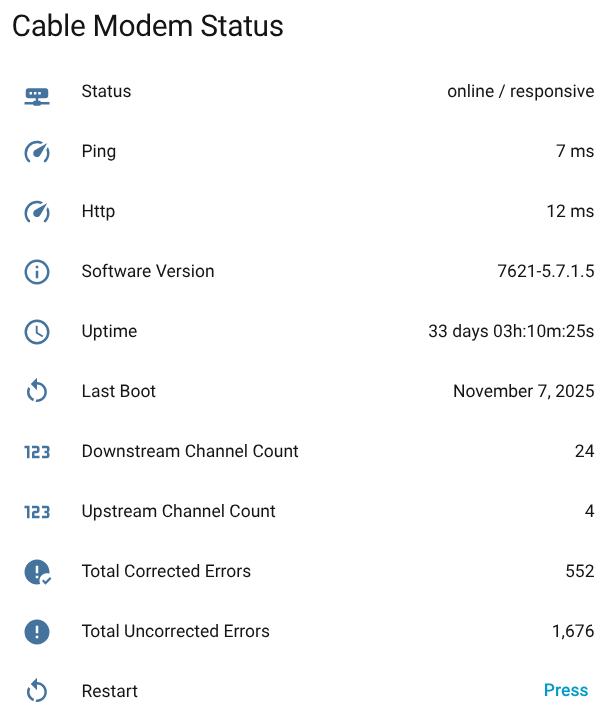
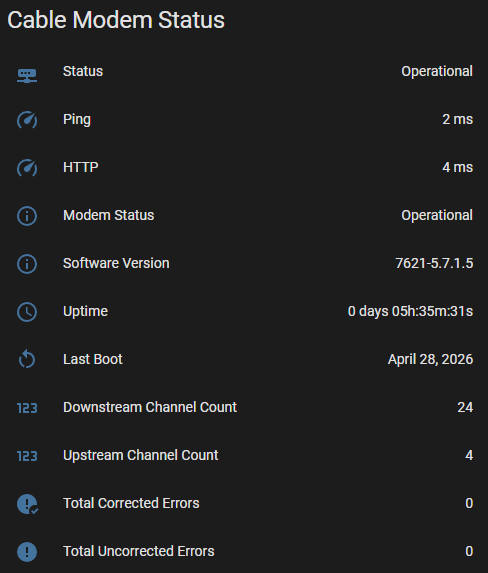
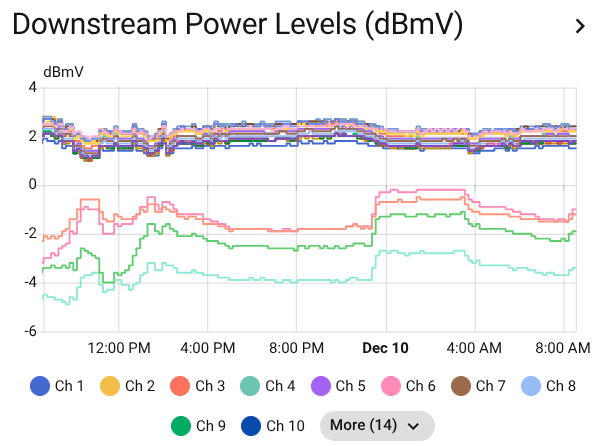
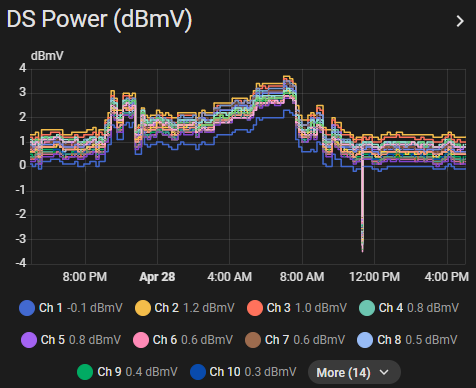
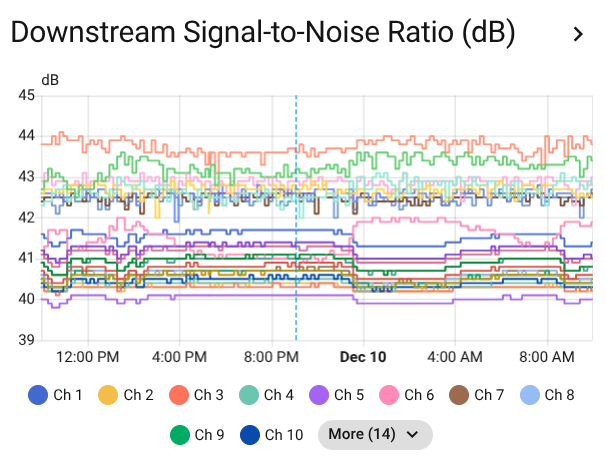
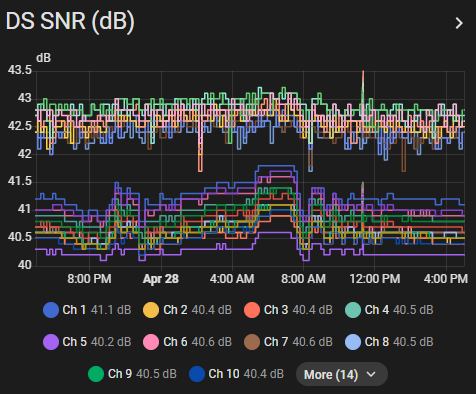
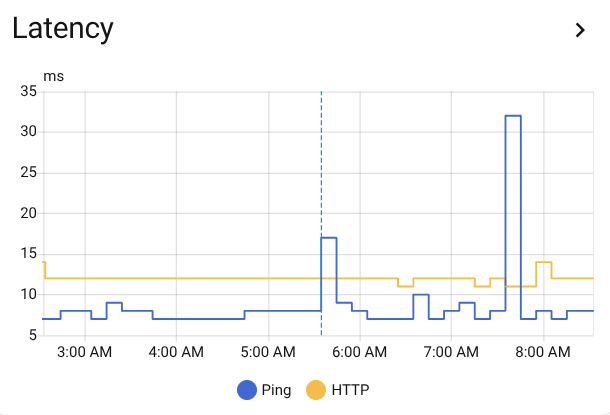
What You Get
Every supported modem exposes the same entity set, so dashboards and automations work the same no matter what hardware you own.
Per-channel signal quality
Power (dBmV), SNR, and frequency for every downstream and upstream channel. Channels are numbered by position, so entity IDs survive a modem reboot that renumbers them.
Error tracking
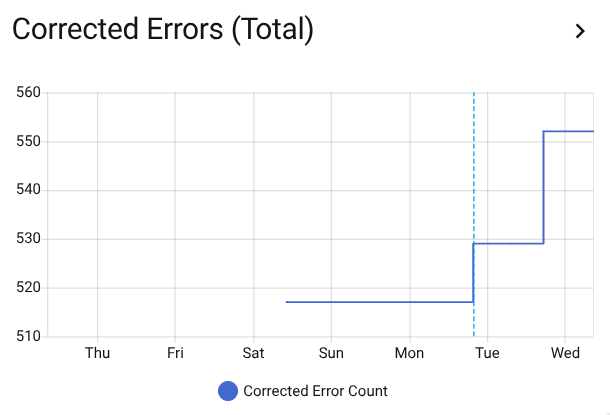
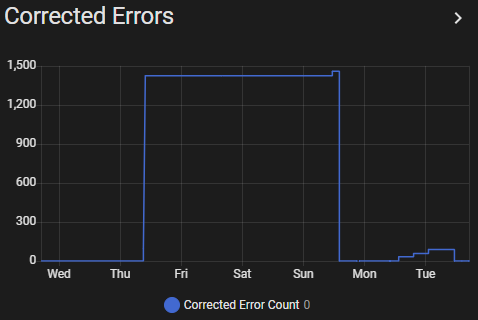
Corrected and uncorrectable codeword counts, plus per-minute error rates.
Connection health
Status, uptime, last boot time, and reboot detection from counter resets.
Health probes
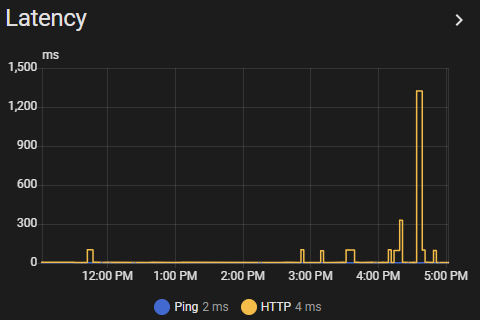
Ping and HTTP latency, polled on their own cadence separate from the full data read.
Remote restart
Reboot the modem from a Home Assistant button when the line needs a kick. Polling backs off through the restart and picks up on its own once the modem answers again.
Failures that name themselves
A busy modem, a firmware lockout, an unreachable host, and a genuinely wrong password each report their own cause — so you fix the thing that actually broke.
Local-only
No cloud, no telemetry. The integration reads your modem's local web interface, credentials stay in Home Assistant's encrypted storage, and serial numbers and MAC addresses are never collected at all.
Why It Matters
Proof when you need it
Show your ISP actual data — signal quality dropping, error counts climbing. Evidence is harder to dismiss than "it feels slow."
Patterns over time
Catch the 2am drops and intermittent issues. Problems that vanish by the time you check are captured in the graphs.
One integration, 40 modems
Arris, CommScope, Compal, Hitron, Motorola, Netgear, Sagemcom, SerComm, and Technicolor. Each modem is described declaratively in the catalog rather than carrying its own parser, so adding hardware is a data change — and every entry is tested against a real capture from real hardware.
Home Assistant automation
Set alerts for signal degradation. Get notified before problems become outages.
Supported Modems
Compatibility varies by firmware and ISP customization. Check your model here before installing.
| Manufacturer | Model | DOCSIS | Common ISPs |
|---|---|---|---|
| Arris | CM3500B | 3.1 | Vodafone |
| Arris | CM820B | 3.0 | Volia |
| Arris | S33 | 3.1 | Comcast, Cox, Spectrum |
| Arris | S33 (v2) | 3.1 | Comcast, Cox, Spectrum |
| Arris | S33 (v3) | 3.1 | Comcast, Cox, Spectrum |
| Arris | S34 | 3.1 | Comcast, Cox, Spectrum |
| Arris | SB6141 | 3.0 | Comcast, Cox, Spectrum |
| Arris | SB6183 | 3.0 | Comcast, Cox, Spectrum |
| Arris | SB6190 | 3.0 | Comcast, Spectrum, Cox |
| Arris | SB8200 | 3.1 | Spectrum, Comcast, Cox |
| Arris | SB8200 (Form Login CBN) | 3.1 | Comcast, Cox, Spectrum |
| Arris | SB8200 (HNAP) | 3.1 | Cox |
| Arris | TG3442DE | 3.1 | Vodafone |
| Arris | TM1602A | 3.0 | Spectrum |
| CommScope | G54 | 3.1 | Cox, Spectrum, Comcast |
| Compal | CH7465MT | 3.0 | Magenta AT |
| Hitron | CODA56 | 3.1 | Comcast |
| Motorola | MB7621 | 3.0 | Comcast, Cox, Spectrum |
| Motorola | MB8600 | 3.1 | Comcast, Cox, Spectrum |
| Motorola | MB8611 | 3.1 | Comcast, Cox, Spectrum |
| Netgear | C3700 | 3.0 | Comcast, Cox, Spectrum |
| Netgear | C7000v2 | 3.0 | Comcast |
| Netgear | CM1100 | 3.1 | Comcast |
| Netgear | CM1200 | 3.1 | Comcast, Spectrum, Cox |
| Netgear | CM2000 | 3.1 | Comcast, Cox, Spectrum |
| Netgear | CM2050V | 3.1 | Comcast |
| Netgear | CM2500 | 3.1 | Comcast, Cox, Spectrum |
| Netgear | CM3000 | 3.1 | Comcast, Cox, Spectrum |
| Netgear | CM600 | 3.0 | Comcast, Cox, Spectrum |
| Sagemcom | F3896LG-VMB | 3.1 | Virgin Media UK |
| Sagemcom | F3896LG-ZG | 3.1 | Ziggo |
| SerComm | DM1000 | 3.1 | Koodo |
| Technicolor | CGA2121 | 3.0 | Telia |
| Technicolor | CGA4236 | 3.1 | — |
| Technicolor | CGA6444VF | 3.1 | Vodafone |
| Technicolor | TC4400 | 3.1 | Comcast, Cox, Spectrum |
| Technicolor | XB10 | 4.0 | Comcast |
| Technicolor | XB6 | 3.1 | Rogers |
| Technicolor | XB7 | 3.1 | Rogers, Comcast |
| Technicolor | XB8 | 3.1 | Rogers, Comcast, Cox |
A model listed more than once has a hardware revision or login method that needs its own entry — match the qualifier in parentheses to your modem.
Full catalog with chipsets, auth methods, and ISP coverage · Modem not listed? Request support
Install
Search for "Cable Modem Monitor" in HACS integrations, restart Home Assistant, then add it under Settings → Devices & Services. You'll need your modem's IP — usually 192.168.100.1 — and credentials if it asks for them.
Requires Home Assistant 2024.12.0 or newer.
Contribute
Cable Modem Monitor grows through community contributions. Two ways to help:
Capture your modem
A recorded session from your modem's web interface is everything we need to build a parser. Capturing one takes about five minutes.
Install our har-capture tool
pip install "har-capture[full]" Record a session against your modem's IP
har-capture get 192.168.100.1 --patterns network-device Screen the sanitized file for anything the redactor missed, then attach it to a modem request
har-capture strips MAC addresses, serial numbers, public IPs, and credential patterns before the file ever leaves your machine. Channel data, firmware version, and uptime are kept — that's the part we need.
Build the catalog entry
Have the hardware and want to go further? The intake pipeline turns a capture into a working catalog entry.
- Run the intake pipeline against your capture
- It generates modem.yaml, parser.yaml, and golden files
- Verify the golden files match what your modem actually reports
- Open a pull request with the entry
Most models need no Python at all — parsing is declarative YAML. AI assistance helps with the judgment steps, but isn't required.
Contributor Guide